Why Game Artists Are Ditching Pure Photoshop for Unreal Engine Hybrid Workflows

Why Game Artists Are Ditching Pure Photoshop for Unreal Engine Hybrid Workflows

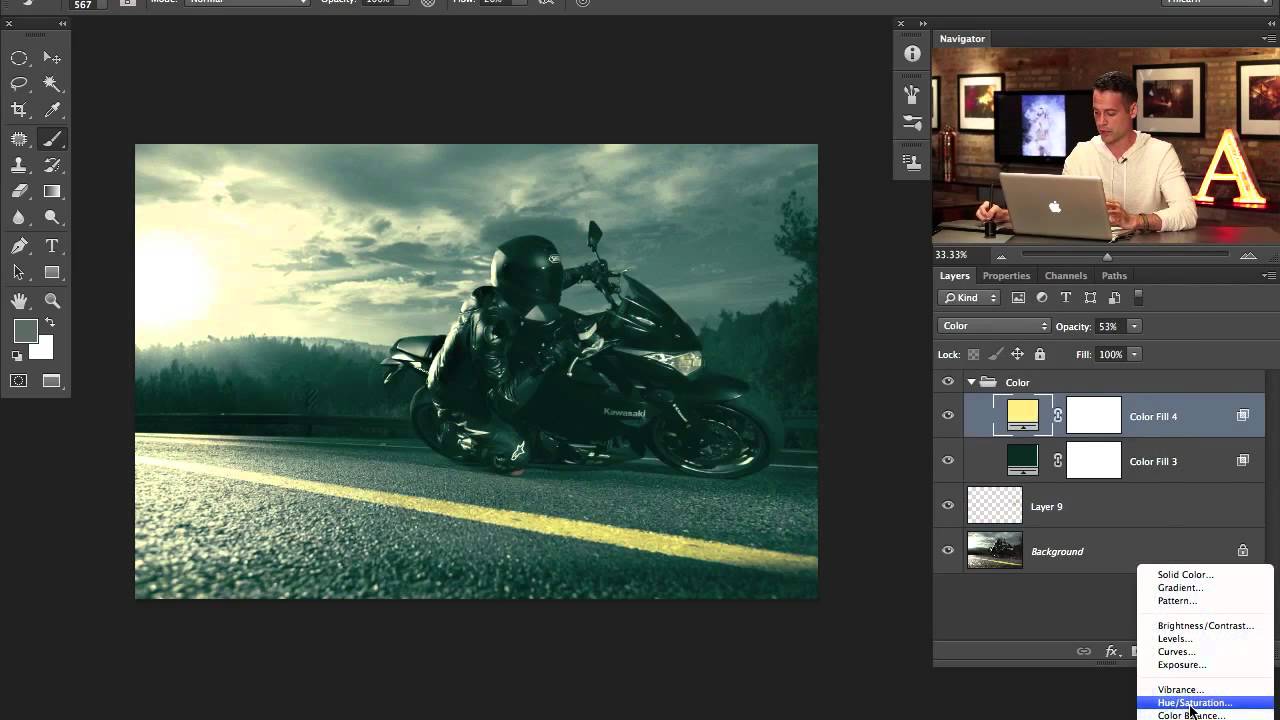
The Photoshop-Plus Movement Is Real I’ve been watching a fascinating trend unfold in the digital art community, and honestly, it’s blowing my mind. Game artist Xingkong has cracked something interesting: the sweet spot between Unreal Engine 5’s raw rendering power and Photoshop’s refinement capabilities. And it’s not just a flex—it’s a genuinely smart workflow that’s worth understanding if you’re serious about creating atmospheric, compelling digital art. The Core Idea: Let the Engines Do What They’re Built For Here’s the thing most of us miss: Unreal Engine 5 is stupid good at generating complex lighting, reflections, and volumetric effects in real-time.

When Game Design Goes Wild: Creating Visual Assets for Unexpected Spinoffs

When Game Design Goes Wild: Creating Visual Assets for Unexpected Spinoffs

When Developers Swing for the Fences I’ve been following the gaming industry long enough to know that sometimes creative teams decide to take their successful franchises in… let’s call them “unexpected directions.” This week, I stumbled onto news that had me doing a double-take: a major developer just announced they’re creating a dating sim spinoff of their popular creature-collecting game, complete with horror elements and the ability to romance—and eat—the game’s characters.

What The Elder Scrolls: Blades Shutdown Teaches Us About Digital Asset Preservation

What The Elder Scrolls: Blades Shutdown Teaches Us About Digital Asset Preservation

Another One Bites the Dust: What The Elder Scrolls: Blades Shutdown Means for Creatives Well, it finally happened. Bethesda pulled the plug on The Elder Scrolls: Blades, the mobile spinoff that launched with more promise than, well, a launch title usually deserves. Come June 30, those servers are going dark permanently. The game’s already vanished from app stores, and players who invested time and (let’s be real) money into their collections are watching their digital property evaporate.

Understanding Blend Modes: A Visual Guide

Understanding Blend Modes: A Visual Guide

Blend modes are one of those features where people either know them cold or just randomly click through the dropdown hoping something looks good. Let’s fix that. Photoshop’s blend modes control how a layer interacts with layers below it. There are 27 of them, but they fall into logical groups, and once you understand the groups, the individual modes make sense. Group 1: Normal Normal — No blending. The top layer covers the bottom layer completely (at 100% opacity).

Transform Any Photo with Textures in Photoshop: A Practical Breakdown

Transform Any Photo with Textures in Photoshop: A Practical Breakdown

There’s a specific kind of flatness that happens when a photo is technically correct but visually boring. Good exposure, decent composition, and somehow it still looks like a stock image nobody bought. I ran into this constantly early in my freelance work, spending way too long adding drama in the wrong places, like overcooked contrast or aggressive vignettes, when the real fix was sitting one layer above the photo the whole time.

The Underrated Power of Photoshop Elements: Why I'm Recommending It to Everyone

The Underrated Power of Photoshop Elements: Why I'm Recommending It to Everyone

The Underrated Power of Photoshop Elements: Why I’m Recommending It to Everyone Here’s a confession: I spend way too much time watching photographers obsess over whether they need the full Photoshop subscription. Spoiler alert—most of them don’t. Adobe just dropped the 2026 version of Photoshop Elements, and honestly? It’s gotten even better at doing what it does best: making photo editing accessible without requiring you to mortgage your house or learn a PhD-level skill tree.

The Ricoh GR IV HDF: Why This Compact Camera's Built-In Filter Matters for Digital Artists

The Ricoh GR IV HDF: Why This Compact Camera's Built-In Filter Matters for Digital Artists

A Compact Camera That’s Making Me Rethink My Workflow I’ve been shooting with the Ricoh GR IV for a while now, and I’ll admit I’m obsessed with how pocket-sized it is. But Ricoh just dropped the HDF variant, and it’s got me thinking about something I don’t usually consider: what if the camera itself handles some of the aesthetic work for you? The key difference here is the High Definition Filter mode—basically a built-in softness and glow effect that you can toggle on or off.

The Great Photo Verification Showdown: Why Your Authentic Images Might Not Be So Authentic

The Great Photo Verification Showdown: Why Your Authentic Images Might Not Be So Authentic

The Plot Thickens in the Photo Verification Wars I’ve been knee-deep in Photoshop tutorials and editing tricks for years, teaching people how to enhance, manipulate, and transform images. But here’s the uncomfortable truth I’m wrestling with: the very technology that’s supposed to prove an image is “real” might have more holes in it than Swiss cheese. Researchers from ETH Zurich just threw a wrench into Adobe’s carefully laid plans. The C2PA (Coalition for Content Provenance and Authenticity) system—the industry’s darling solution for certifying genuine photographs—apparently isn’t as bulletproof as we’ve been led to believe.

The Dark Art of Photo Manipulation: Making People Look Better Than They Have Any Right To

The Dark Art of Photo Manipulation: Making People Look Better Than They Have Any Right To

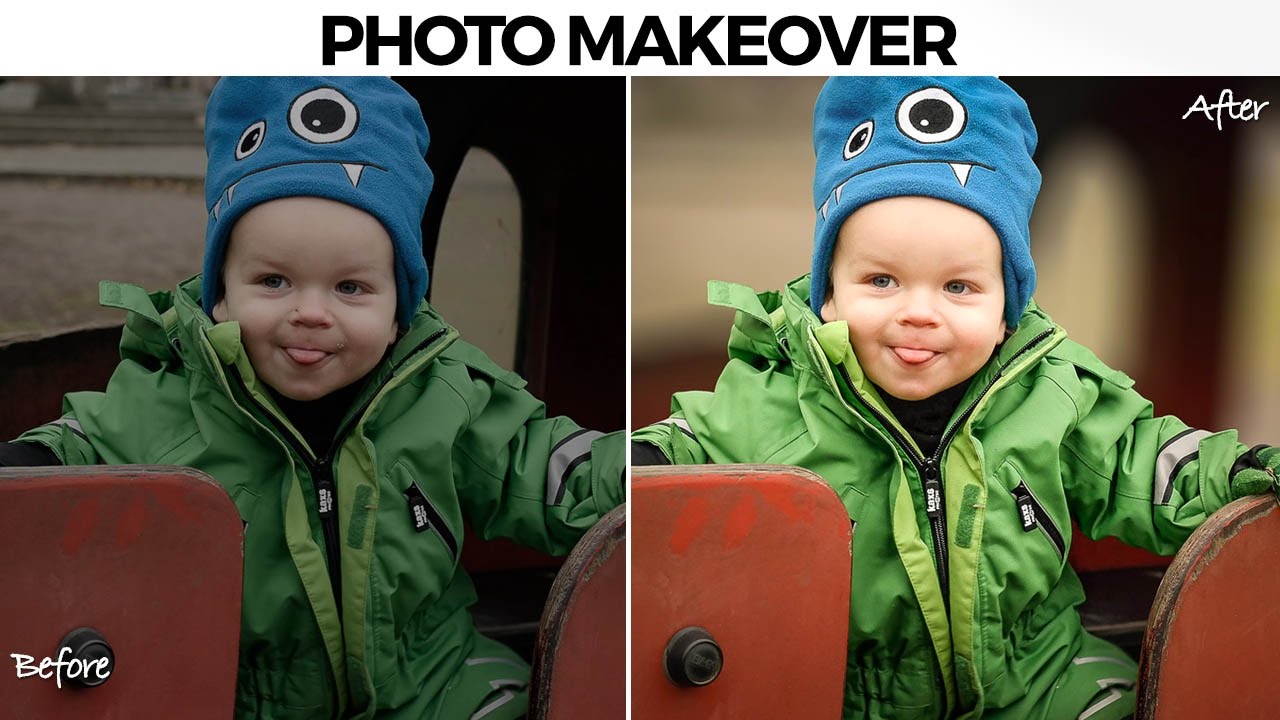
The Dark Art of Photo Manipulation: Making People Look Better Than They Have Any Right To Look, I’m not going to pretend that photo manipulation is some noble pursuit. It’s basically digital lying. But it’s fun lying, and honestly, everyone’s doing it. Your Instagram influencer crush? Manipulated. That family photo where everyone actually looks happy? Manipulated. That picture of your breakfast that got 47 likes? Okay, probably not manipulated, but it should have been.

The Dark Art of Photo Manipulation: Making People Look Better Than They Actually Are

The Dark Art of Photo Manipulation: Making People Look Better Than They Actually Are

The Dark Art of Photo Manipulation: Making People Look Better Than They Actually Are Let’s be honest—we’re all here because reality is sometimes disappointing. Your client’s product photos are too dark. Your portrait subject has a mysterious third chin they swear isn’t usually there. The sunset you drove two hours to photograph looks about as inspiring as a spreadsheet. Enter photo manipulation: the noble art of making things look better without making them look obviously fake.

The Art of Not Getting Caught: Photo Manipulation Done Right

The Art of Not Getting Caught: Photo Manipulation Done Right

The Art of Not Getting Caught: Photo Manipulation Done Right Look, I’m going to be straight with you: photo manipulation gets a bad rap. Everyone’s suddenly a purist who swears they “don’t edit their photos” while conveniently forgetting about that Instagram filter they applied. The truth? Good manipulation is invisible. Bad manipulation makes people look like plastic aliens. I’m here to help you be in the first camp. The Golden Rule: Subtlety is Your Best Friend The biggest mistake I see is people treating Photoshop like a sledgehammer when they should be using it like a scalpel.

Text Effects in Photoshop That Don't Look Like a Geocities Website

Text Effects in Photoshop That Don't Look Like a Geocities Website

Text Effects in Photoshop That Don’t Look Like a Geocities Website Look, I get it. Text effects are fun. A little drop shadow here, some beveling there, maybe throw a lens flare on top because why not? Before you know it, your design looks like it should be accompanied by MIDI music and animated GIFs of dancing babies. But here’s the thing: text effects can actually be useful when you’re not treating Photoshop like a effect slot machine.