Liquify in Photoshop: The Tool You're Probably Underusing (And How to Fix That)

Liquify in Photoshop: The Tool You're Probably Underusing (And How to Fix That)

I’ll be honest with you. For way too long, I treated the Liquify tool like that one kitchen gadget you only pull out for a specific recipe once a year. I knew it existed. I’d used it in a panic to fix something weird in a portrait. Then I’d close the dialog and pretend it never happened. It wasn’t until I started digging into Aaron Nace’s work over at PHLEARN that I realized I was barely scratching the surface of what this thing can actually do.
Selective Color in Photoshop: The Adjustment Layer That Actually Changes How Your Photos Feel

Selective Color in Photoshop: The Adjustment Layer That Actually Changes How Your Photos Feel

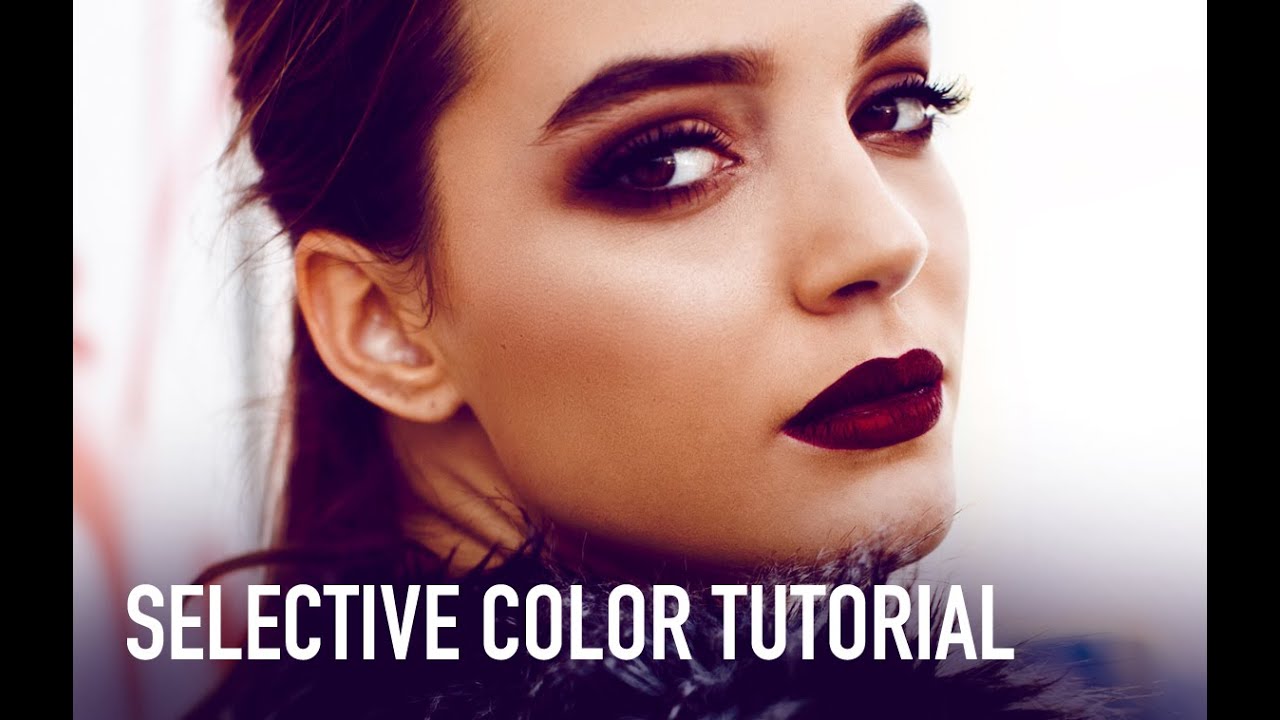
There’s a specific kind of frustration that hits when you’ve finished retouching a photo and it looks technically correct but somehow emotionally flat. The exposure is fine. The skin tones are clean. But the image has no mood, no atmosphere, nothing pulling you in. For years I was reaching for Hue/Saturation or Curves to fix this, and while those tools are great, they’re blunt instruments when what you actually need is a scalpel.

Photoshop's New Auto Dust Removal Is the Tiny Feature I Didn't Know I Needed

Photoshop's New Auto Dust Removal Is the Tiny Feature I Didn't Know I Needed

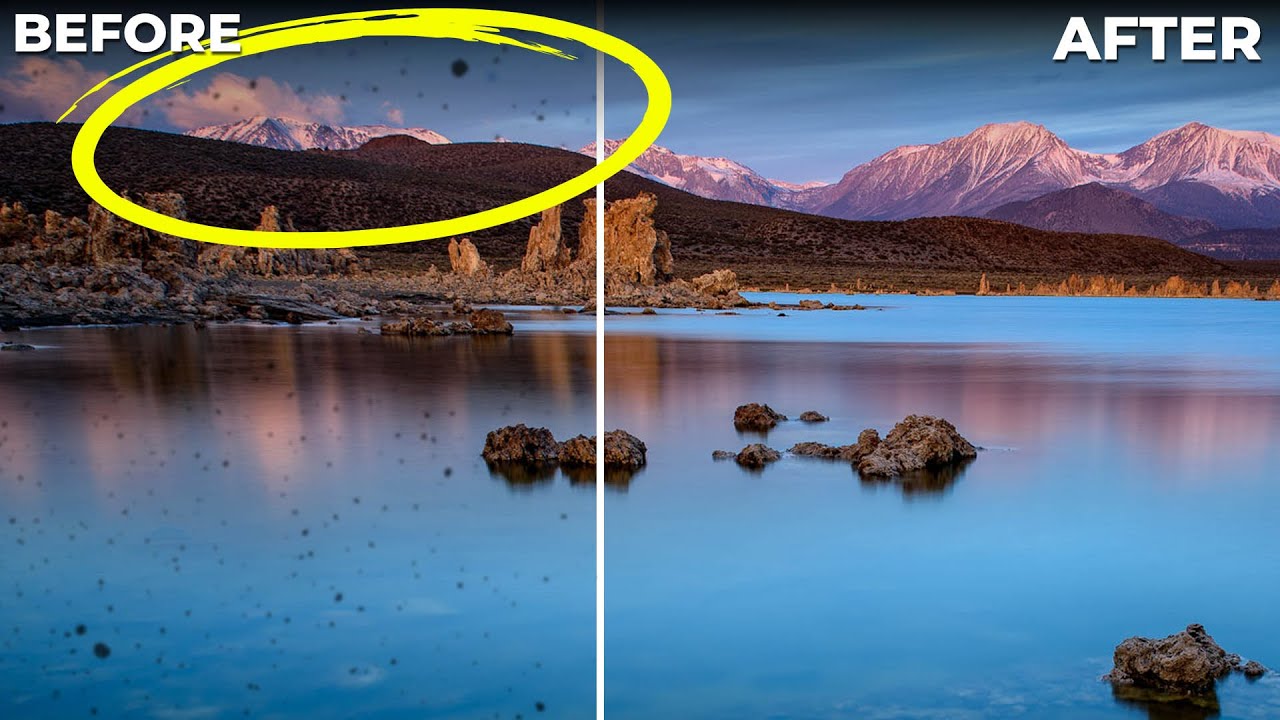
There’s a specific kind of dread that hits when you’ve finished editing a landscape shot, exported it at full resolution, and then noticed a cluster of sensor dust spots scattered across what was supposed to be a clean blue sky. I’ve been there more times than I want to admit. You zoom in, you grab the Spot Healing Brush, and you start playing whack-a-mole with tiny gray blobs for the next 20 minutes.

AI Dust Removal Is Here and It'll Save You Hours of Clone Stamp Hell

AI Dust Removal Is Here and It'll Save You Hours of Clone Stamp Hell

There’s a specific kind of freelance photographer pain that I only discovered after delivering a batch of landscape shots to a client and getting an email back asking about “all the little circles.” I had no idea what they were talking about. Zoomed in. Dust spots. Everywhere. On every single image. From a dirty sensor I hadn’t thought to clean. I spent the better part of an afternoon cloning them out one by one like some kind of medieval monk illuminating a manuscript, except less dignified and with more swearing.

Liquify Without the Mess: A Practical Breakdown of Photoshop's Most Misunderstood Tool

Liquify Without the Mess: A Practical Breakdown of Photoshop's Most Misunderstood Tool

I used to treat the Liquify tool like a blunt instrument. Push here, pull there, hit OK, and spend the next ten minutes wondering why my subject’s arm looks like it’s made of warm taffy. If you’ve ever handed a client a portrait and quietly hoped they wouldn’t zoom in too hard on the edges, you already know the problem. Liquify is genuinely powerful, but it’s the kind of tool that rewards patience and punishes anyone who rushes in without a system.

The Content-Aware Fill Apply Button Is the Photoshop Update I Didn't Know I Desperately Needed

The Content-Aware Fill Apply Button Is the Photoshop Update I Didn't Know I Desperately Needed

There’s a specific kind of freelance misery that hits when you’re cleaning up a photo with six distracting elements in the background and you have to run the full Content-Aware Fill dialog separately for each one. Select, fill, click OK, exit, re-select, repeat. By object three you’re questioning your career choices. By object five you’re Googling “how to become a park ranger.” This is exactly the problem that a recent Matt Kloskowski tutorial on Photoshop 2020 addresses, and I’ll be honest, I watched it mostly out of habit and ended up genuinely relieved.

What Celebrity Magazine Retouching Actually Looks Like (And Why You Should Care)

What Celebrity Magazine Retouching Actually Looks Like (And Why You Should Care)

There’s a specific kind of humbling that happens when you’ve been doing Photoshop work for years and you still catch yourself believing a magazine cover is real. I’ve been editing photos since I was making graphics in MS Paint for my middle school friends, and I know how much work goes into a polished image. I know it intellectually. And yet, those high-gloss editorial shots still land differently in the gut than they should.

Adobe Snuck a Reflection Remover Into Camera Raw and It Actually Works

Adobe Snuck a Reflection Remover Into Camera Raw and It Actually Works

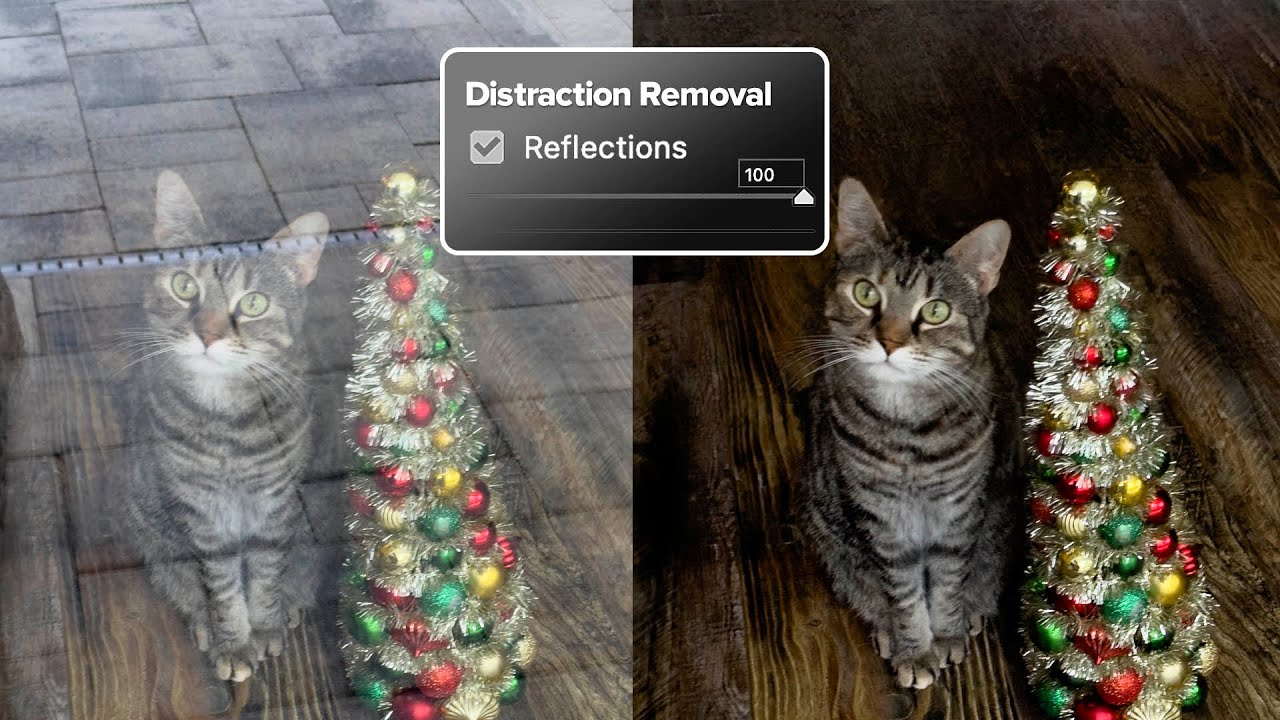
There’s a specific kind of photograph that lives rent-free in my head: the one that’s almost perfect. Good light, good composition, and then a big fat window reflection smeared right across the subject like the universe is personally trolling you. I’ve got a few of those buried in old client folders from my early freelance days, back when I was still figuring out that “I’ll fix it in post” is mostly a cope.

Paint Realistic Eye Makeup in Photoshop Using Actual Makeup Artist Principles

Paint Realistic Eye Makeup in Photoshop Using Actual Makeup Artist Principles

I do a lot of portrait retouching. Skin cleanup, dodging and burning, the occasional dramatic color grade. But for years, whenever a client asked me to “add some makeup” to a shot, I’d fumble around with a brush tool, slap some color on a normal layer, and wonder why it looked like I’d painted the model’s face with Microsoft Paint. Which, yes, I have experience with. It wasn’t pretty. The real problem wasn’t the tools.