The Photoshop Shortcuts I Actually Use (And the Ones Everyone Else Just Pretends To)

The Photoshop Shortcuts I Actually Use (And the Ones Everyone Else Just Pretends To)

I timed myself the other day, just out of curiosity. One hour of client work, and I hit the keyboard instead of the mouse somewhere around 200 times. Some of those were shortcuts I’ve been using so long they’re basically muscle memory. A few were ones I picked up embarrassingly recently. And at least three were me accidentally pressing the wrong thing and then furiously hitting Ctrl+Z like I was playing a rhythm game.
The Photoshop Shortcuts I Actually Use Every Day (And the Ones You're Probably Skipping)

The Photoshop Shortcuts I Actually Use Every Day (And the Ones You're Probably Skipping)

Last Tuesday I watched a designer on YouTube spend 45 seconds hunting through the Image menu to adjust canvas size. Forty-five seconds. I timed it. That might not sound like much, but if you’re billing by the hour and touching that option ten times a session, you’ve just donated about eight minutes to the Photoshop menu system. Do that every day for a year and you’ve lost over 48 hours. I’m not great at math, but I know that’s real money.

Stop Mousing Around: Layer Mask Shortcuts That Actually Save You Time

Stop Mousing Around: Layer Mask Shortcuts That Actually Save You Time

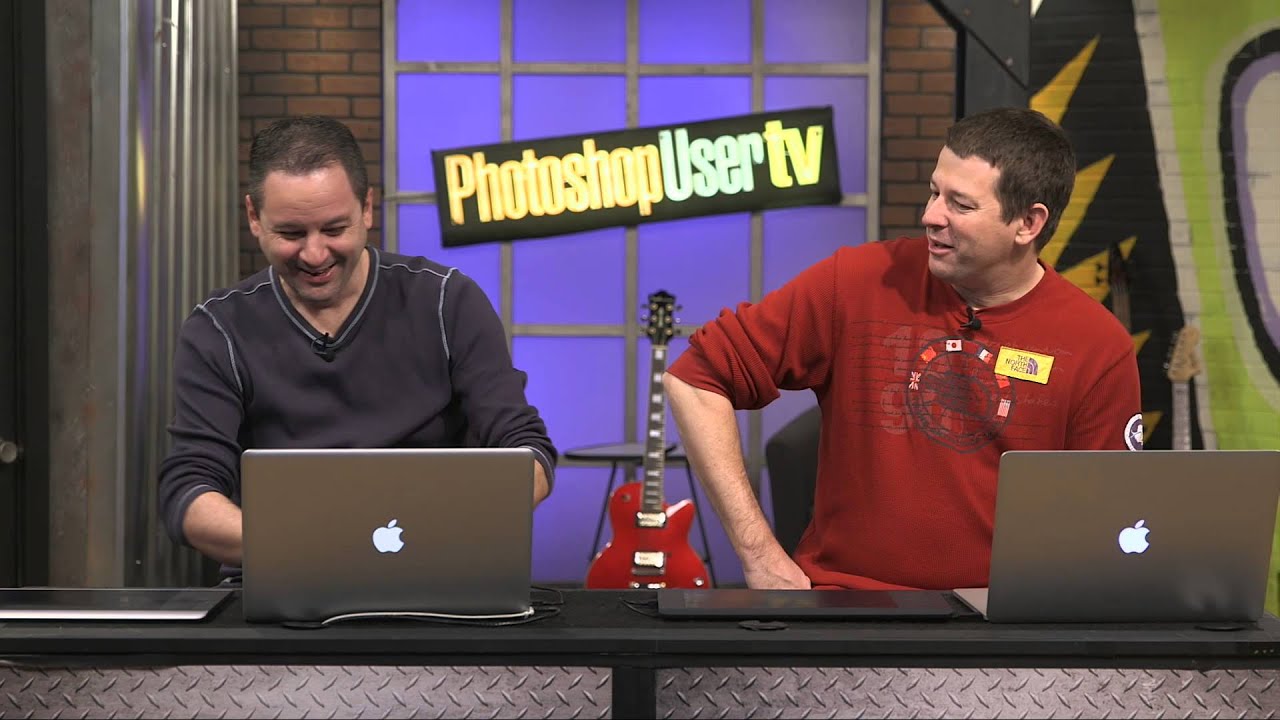
I’ll be honest: for an embarrassingly long time, I was that person clicking through every layer mask operation like I had all the time in the world. Click to add the mask, click to select it, click to disable it, click to view it. My mouse hand was getting a workout my brain wasn’t. It wasn’t until I watched Dave Cross walk through his layer mask shortcut workflow in this KelbyOne episode of Photoshop User TV that I realized how much friction I’d been building into my own process.

10 Photoshop Tips I Wish I'd Known Before I Wasted Years Doing Things the Hard Way

10 Photoshop Tips I Wish I'd Known Before I Wasted Years Doing Things the Hard Way

There’s a specific kind of pain that comes from watching someone else work in Photoshop and realizing they’re doing in three clicks what takes you fifteen. I’ve been there more times than I’d like to admit. Back when I was just starting to take freelance work seriously, a friend watched me edit over my shoulder for about two minutes before quietly asking if I’d ever heard of layer masks. Reader, I had not.

The Photoshop Shortcuts That Actually Save Time (And the Ones You're Probably Ignoring)

The Photoshop Shortcuts That Actually Save Time (And the Ones You're Probably Ignoring)

I timed myself last Tuesday. Open file, adjust curves, mask the subject, flatten, export. Doing it the long way, clicking through menus like it was 2009, took me four minutes and eighteen seconds. Doing it with shortcuts took fifty-three seconds. That gap, multiplied across a full freelance workload, is the difference between finishing at 6pm or finishing at midnight, hunched over a laptop at a coffee shop while the barista gives you the “we’re closing soon” eyes.

7 Photoshop Layer Tricks That Changed How I Actually Work

7 Photoshop Layer Tricks That Changed How I Actually Work

Layers are the backbone of everything in Photoshop. Not smart objects, not adjustment layers, not blend modes — layers, full stop. And yet I spent the better part of two years treating them like a simple stack of stuff, dragging things around and hoping for the best. It wasn’t until I started deliberately hunting down layer-specific technique that I realized how much time I was hemorrhaging on tasks that should have taken seconds.

The Photoshop Shortcuts I Use Every Single Day (And the Ones I Wish I'd Learned Years Earlier)

The Photoshop Shortcuts I Use Every Single Day (And the Ones I Wish I'd Learned Years Earlier)

I used to watch a designer I knew finish a retouching job in about 12 minutes. Same job would take me 45. We were using the same software, the same version, roughly the same skill level. The difference was that he barely touched his mouse. His left hand was always on the keyboard, fingers moving like he was playing a chord progression he’d memorized years ago. I was clicking through menus like I was navigating a mid-2000s website.

Photoshop Gotcha Fixes You'll Wish You'd Known Sooner (Plus a Slick 3D Light Trick)

Photoshop Gotcha Fixes You'll Wish You'd Known Sooner (Plus a Slick 3D Light Trick)

There’s a specific kind of frustration that hits when Photoshop stops behaving the way you expect and you can’t figure out why. Not a crash. Not a missing file. Just… something quietly wrong. A shortcut that used to work now does something slightly different. You sit there poking at settings like you’ve never opened the app before. I’ve been there more times than I want to admit, and I’m someone who once spent 20 minutes debugging a “broken” tool before realizing I was working on the wrong layer.

The Photoshop Shortcuts I Use Every Single Day (And the Ones I Wish I'd Learned Sooner)

The Photoshop Shortcuts I Use Every Single Day (And the Ones I Wish I'd Learned Sooner)

I once watched a client sit next to me during a revision session and physically wince every time I reached for the menu bar. He didn’t say anything. He just sat there, quietly suffering, as I clicked through Edit > Transform > Scale like some kind of animal. After the third time, he finally said, “Do you not know Ctrl+T?” Reader, I did not know Ctrl+T. That was about six years ago.

The Shift Key Has Been Lying to You (And Other Photoshop Secrets Worth Knowing)

The Shift Key Has Been Lying to You (And Other Photoshop Secrets Worth Knowing)

I have strong opinions about keyboard shortcuts. Possibly too strong. Ask anyone who’s sat near me at a coffee shop while I’m working and they’ll tell you I mutter at my keyboard like it owes me money. So when I stumbled onto a Matt Kloskowski tutorial about the Shift key in Photoshop, I figured I’d skim it and move on. Instead I learned something that made me question six years of muscle memory, and honestly?

The Photoshop Shortcuts That Actually Save Time (Not Just the Ones Everyone Lists)

The Photoshop Shortcuts That Actually Save Time (Not Just the Ones Everyone Lists)

I was sitting in a coffee shop last Tuesday, watching a guy next to me work in Photoshop. Every time he wanted to zoom in, he went up to the View menu. Every. Single. Time. I watched him do it maybe six times in ten minutes. I didn’t say anything because I’m not a monster, but I did quietly spiral thinking about all the hours that man has lost to that menu over the course of his life.

Stop Wasting Time: The Custom Keyboard Shortcut Game-Changer Every Editor Should Know

Stop Wasting Time: The Custom Keyboard Shortcut Game-Changer Every Editor Should Know

I’ve spent way too much time watching editors fumble through menus like they’re searching for the TV remote. There’s a better way, and I’m genuinely shocked how few people actually use it. The Baseline Trap Nobody Talks About Here’s the thing about default keyboard shortcuts: they’re designed to work for everyone, which means they work optimally for nobody. Adobe ships Premiere Pro (and honestly, most creative software) with a solid foundation of shortcuts, sure.