Stop Boring Photos: The Ultimate Guide to Making Colors Pop in Photoshop

Stop Boring Photos: The Ultimate Guide to Making Colors Pop in Photoshop

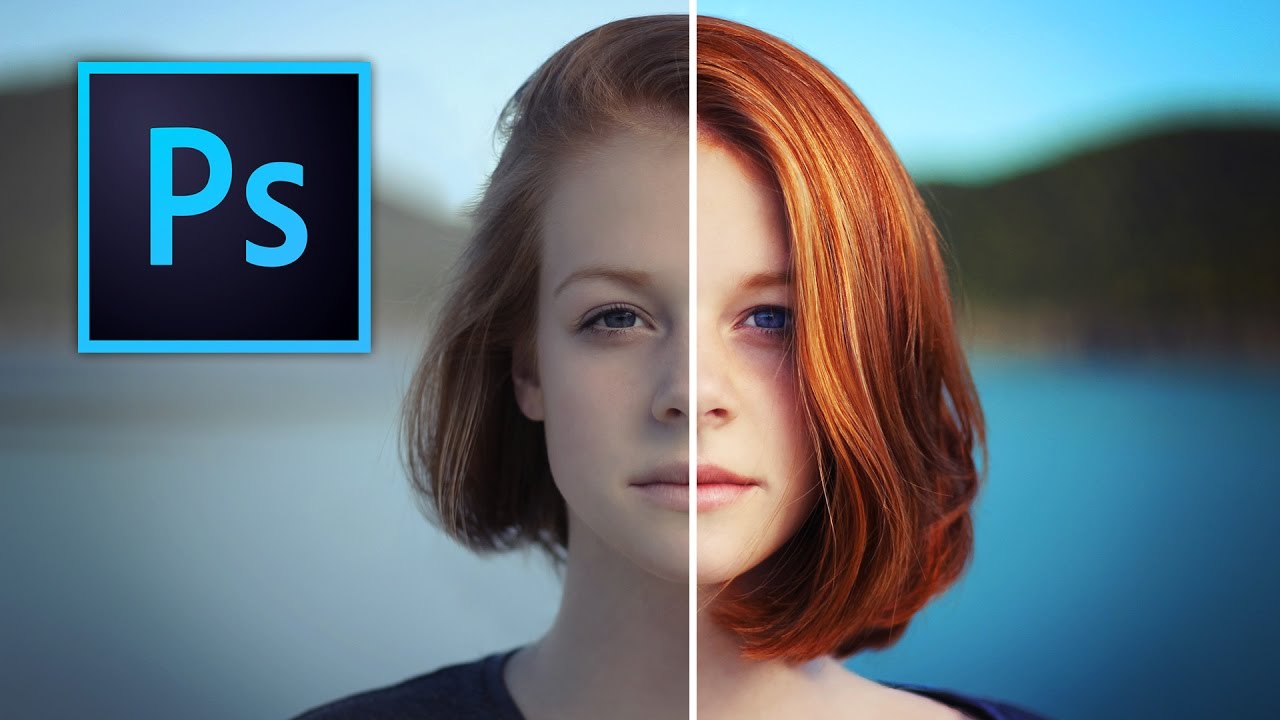
There’s a specific kind of client photo that fills me with quiet dread. You know the one. Shot on a decent camera, decent light, decent composition, but the colors look like they were run through a beige filter. Nothing is technically wrong with it, but nothing pops either. It just sits there, looking fine. Fine doesn’t close clients. Fine doesn’t get shared. Fine is the enemy. I’ve spent more time than I’d like to admit trying to fix these kinds of photos with increasingly complicated methods, stacking adjustment layers like I’m building a sandwich, wondering why the result still looks flat.

Master Dramatic Water Reflections in Photoshop: A Free Lesson From Kelvin Designs

Master Dramatic Water Reflections in Photoshop: A Free Lesson From Kelvin Designs

There’s a specific kind of frustration that hits when you’re staring at a photo that’s almost great. The composition is solid, the light is decent, but something about it feels flat and forgettable. For me, that problem shows up constantly with landscape and water shots. I’d spend time color grading, maybe dodging and burning a little, and still end up with something that looked like stock photo filler. Turns out I was skipping a step that takes maybe five minutes and makes a genuinely dramatic difference.

Master Color Gradients in Photoshop Without Destroying Your Subject's Skin Tone

Master Color Gradients in Photoshop Without Destroying Your Subject's Skin Tone

The Problem Nobody Talks About Here’s something that happens to Photoshop users constantly: you try to change the color of someone’s clothing and suddenly their face looks like they’ve been in a tanning booth accident. It’s because Photoshop’s color tools are too good at finding every instance of a color—including the ones you didn’t want to touch. In this excellent tutorial, Aaron Nace (PHLEARN) shows us how to surgically recolor specific objects while keeping skin tones looking natural.

Double Exposure in Photoshop 2026: The Easy Way to Blend Two Images Like a Pro

Double Exposure in Photoshop 2026: The Easy Way to Blend Two Images Like a Pro

There’s a specific kind of shame that comes from overcomplicating something that turns out to be embarrassingly simple. I spent an entire afternoon once trying to mask out a silhouette for a composite, painstakingly painting around hair strands, when the whole thing could have been handled in about three minutes with the right technique. Double exposure effects had the same reputation in my head: cinematic, editorial, definitely complicated. Turns out I was wrong by a significant margin.