The Art of Making People Look Better Than They Actually Are (Legally)

The Art of Making People Look Better Than They Actually Are (Legally)

The Art of Making People Look Better Than They Actually Are (Legally) Let’s be honest: everyone wants to look better in photos. Your job as a Photoshop wizard is to deliver results that make people say “wow, you look amazing!” rather than “did you use a filter from 2009?” There’s a fine line between enhancement and looking like a plastic action figure, and I’m here to help you walk it.

The Dark Art of Photo Manipulation: Making People Look Better Than They Have Any Right To

The Dark Art of Photo Manipulation: Making People Look Better Than They Have Any Right To

The Dark Art of Photo Manipulation: Making People Look Better Than They Have Any Right To Look, I’m not going to pretend that photo manipulation is some noble pursuit. It’s basically digital lying. But it’s fun lying, and honestly, everyone’s doing it. Your Instagram influencer crush? Manipulated. That family photo where everyone actually looks happy? Manipulated. That picture of your breakfast that got 47 likes? Okay, probably not manipulated, but it should have been.

Stop Nuking Eye Color: A Better Way to Change Eyes in Photoshop

Stop Nuking Eye Color: A Better Way to Change Eyes in Photoshop

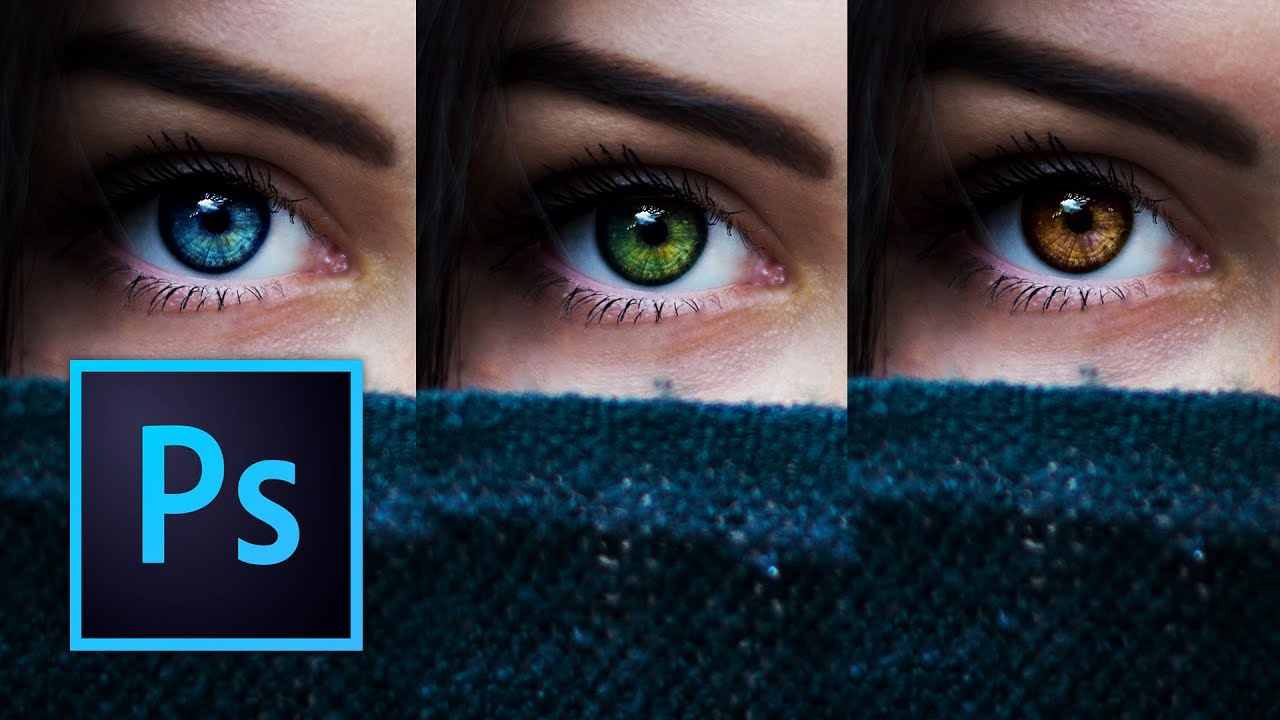
I used to change eye color in Photoshop the lazy way. Hue/Saturation adjustment layer, clip it, drag the slider, call it a day. It works, technically. It also looks like you swapped someone’s eyes with a cartoon character’s. Clients notice. You notice. And then you spend twenty minutes trying to dial it back until it looks passably human, which mostly defeats the purpose. The smarter approach involves a more deliberate mask and a color-mixing method that actually respects how eyes catch light.