
Stop Masking Everything: How Layer Blending Modes Can Do the Heavy Lifting

Stop Masking Everything: How Layer Blending Modes Can Do the Heavy Lifting

There’s a specific kind of frustration that hits when you spend forty-five minutes painstakingly masking around wisps of smoke or fog, and the result still looks like you cut it out with safety scissors. I’ve been there more times than I’d like to admit. Smoke, steam, fog, fire – any texture with soft, semi-transparent edges – is a nightmare to mask cleanly. Which is why the moment I watched Aaron Nace walk through his steam-from-ears composite, I felt that specific mix of relief and mild annoyance that comes from learning something you wish you’d known years ago.
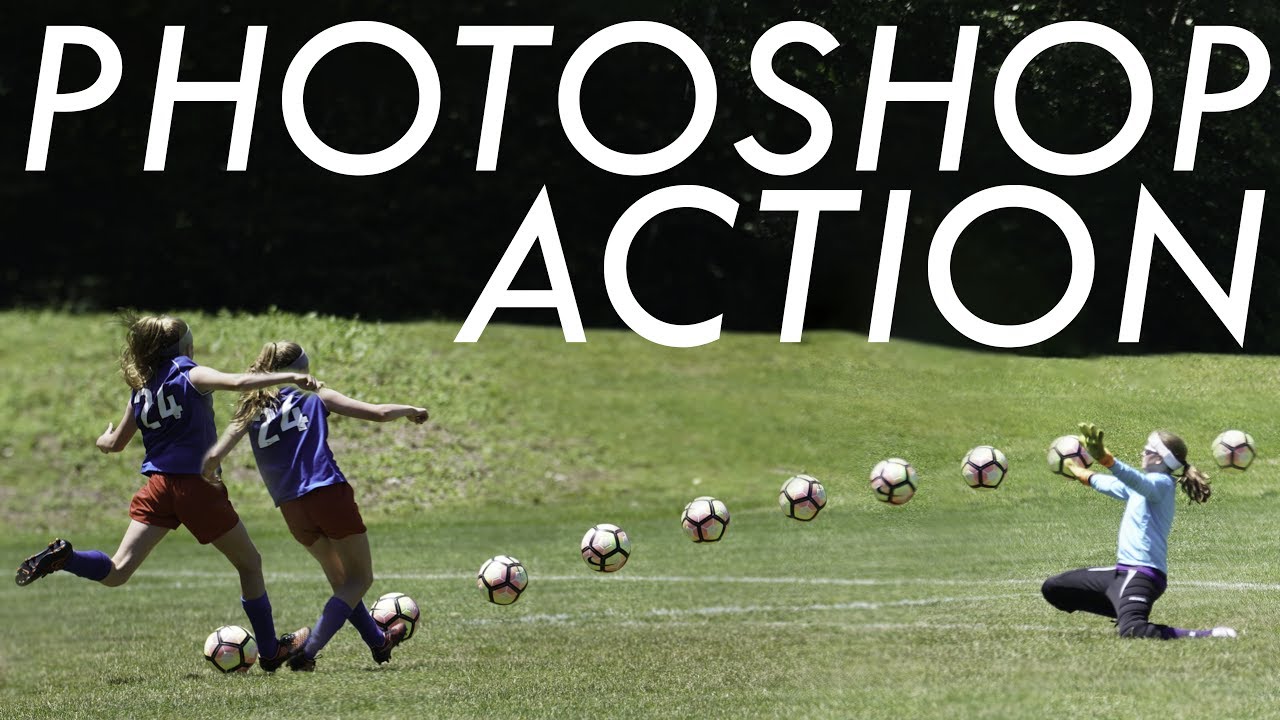

Stack Sports Photos Like a Pro: The Lightroom + Photoshop Sequence Composite Technique

Stack Sports Photos Like a Pro: The Lightroom + Photoshop Sequence Composite Technique

There’s a specific kind of frustration that comes from shooting a perfect moment in sports and realizing no single frame tells the full story. You’ve got thirty shots of a soccer player driving toward goal, and individually they’re fine. But none of them capture the kick and the ball and the net at the same time. That’s just physics. A single frame can only freeze one instant. The fix, it turns out, is something I’d seen in sports photography magazines my whole life without ever stopping to think about how it was made: the multi-exposure sequence composite.

Fake Bokeh That Actually Looks Real: A Photoshop Trick You'll Use On Every Portrait

Fake Bokeh That Actually Looks Real: A Photoshop Trick You'll Use On Every Portrait

There’s a specific kind of client feedback that haunts me. The photo is sharp, the subject is well-lit, the composition is solid, and then: “Can you make it look more… dreamy?” Dreamy. Great. Super specific. What they almost always mean, even if they don’t know the word, is bokeh. Those soft, glowing orbs of out-of-focus light that make a photo feel expensive and editorial. The problem is you can’t go back and reshoot with a wider aperture, and generating fake depth of field that looks convincing is a whole other ordeal.

Sky Replacement + Auto Reflection: The Photoshop Combo That Saves My Composite Workflow

Sky Replacement + Auto Reflection: The Photoshop Combo That Saves My Composite Workflow

There’s a specific kind of frustration that comes from spending an hour manually painting a water reflection, only to realize the perspective is slightly off and the whole thing looks like a puddle on Mars. I’ve been there more times than I’d like to admit. Water reflections are one of those things that look simple until you’re actually doing them, and then suddenly you’re watching clock minutes disappear while you nudge opacity sliders and question your life choices.