Video Tutorials
Give Your Subject's Hair More Life in Photoshop: Volume, Color, and Depth in Three Moves
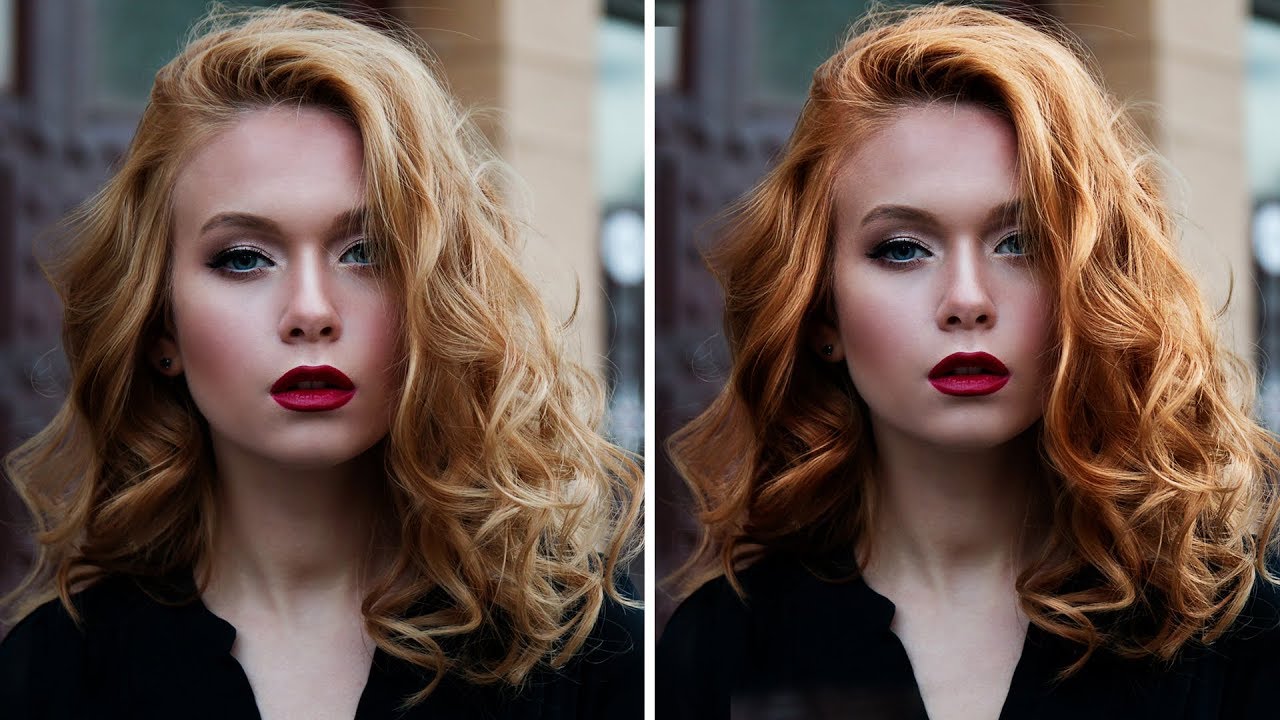
Hair retouching is one of those things that separates a decent retouch from a genuinely polished one. I spent an embarrassing amount of time early in my freelance career trying to make flat, lifeless hair look editorial by throwing contrast sliders at it. It doesn’t work. What actually works is a specific sequence of moves that address volume, color, and depth as separate problems. That’s exactly what Aaron Nace breaks down in this PHLEARN tutorial, and the reason it clicked for me is that he treats each issue with its own dedicated tool rather than hunting for one magic adjustment that does everything.