
Photoshop's Depth-Aware Haze Is the Background Blur You've Been Doing the Hard Way

Photoshop's Depth-Aware Haze Is the Background Blur You've Been Doing the Hard Way

There’s a specific kind of frustration that hits when you’ve spent forty-five minutes masking hair, painting depth-of-field blur onto a background, and color-grading everything to sit right, and then a client asks if you can “make it look a little more dreamy.” I’ve been there more times than I care to admit, usually at a coffee shop with a lukewarm oat milk latte and a deadline that isn’t moving. The old workflow for faking shallow depth of field on a flat image involved layers, blur galleries, luminosity masks, and a whole lot of squinting.
How to Actually Separate a Subject from a Busy Background (Without Losing Your Mind)

How to Actually Separate a Subject from a Busy Background (Without Losing Your Mind)

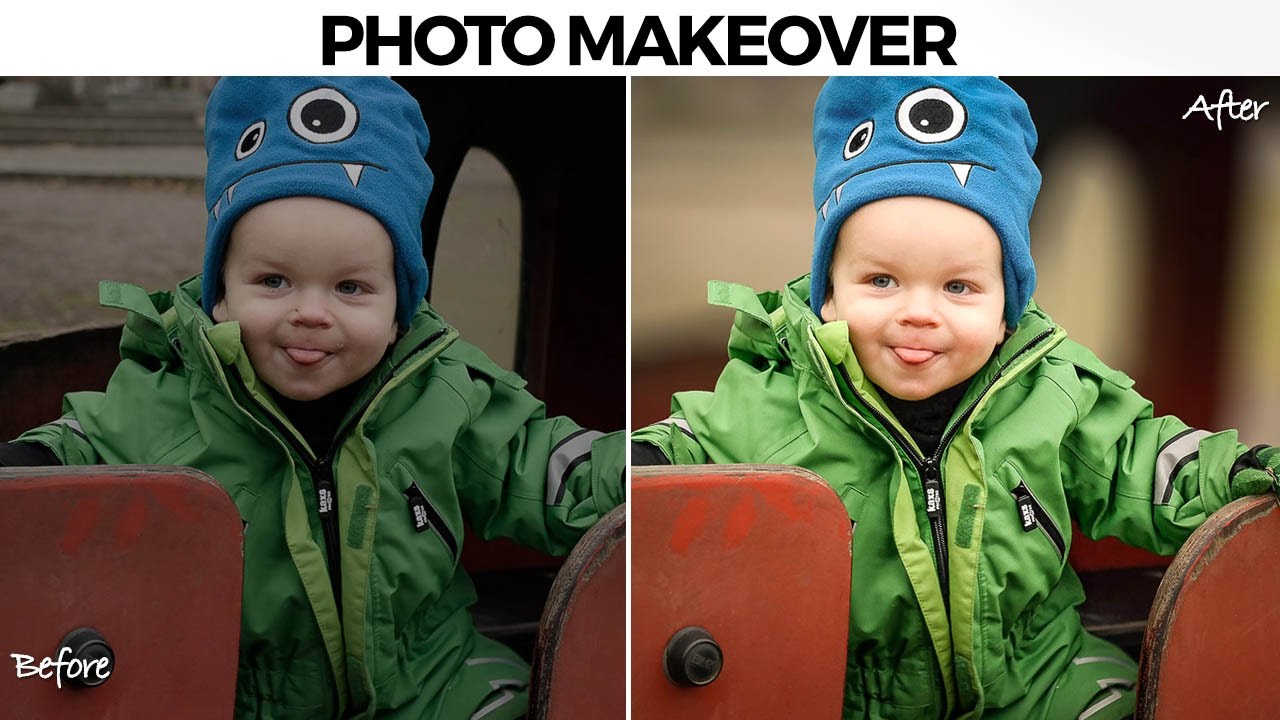
There’s a specific kind of job that used to make me quietly dread opening my inbox. A parent, a friend, someone’s aunt, sends you a candid photo of a kid with a genuinely great expression, and the background is just… a gray wall of visual noise. The subject is good. The light is okay. But nothing separates the person from everything behind them, and the whole thing reads as flat. I used to either spend way too long on it or hand it back with minimal changes and feel vaguely embarrassed about it.