Stop Struggling With Manual Compositing – Photoshop's AI Just Changed the Game

Stop Struggling With Manual Compositing – Photoshop's AI Just Changed the Game

The Death of the Manual Composite Workflow Remember when combining two images in Photoshop meant spending an hour masking, dodging, and burning until your eyes crossed? Yeah, those days are basically over, and honestly, I’m not even mad about it. I’ve been playing around with Photoshop’s latest features, and the speed at which you can now merge multiple photos is genuinely wild. We’re talking removing backgrounds, matching lighting, and blending exposures in what used to take half your afternoon – now doable in minutes.
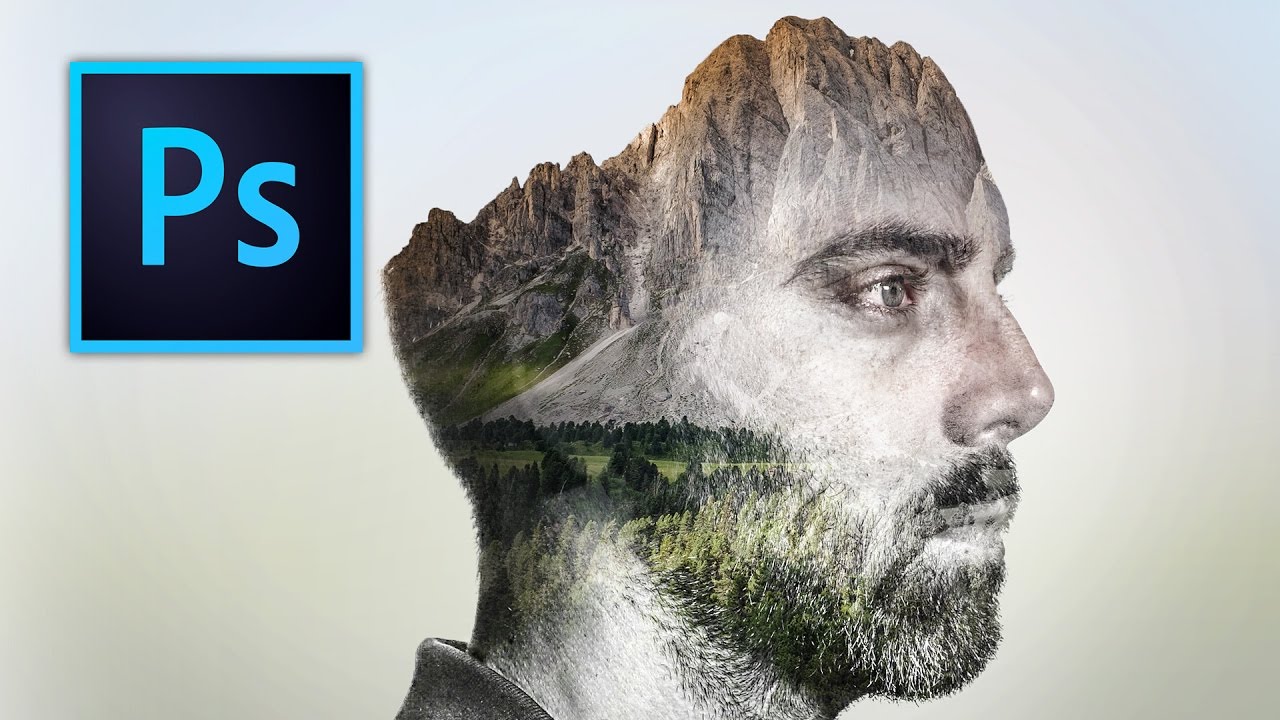
How to Blend Two Photos into a Double Exposure Effect (Without It Looking Like a Mess)

How to Blend Two Photos into a Double Exposure Effect (Without It Looking Like a Mess)

There’s a specific kind of design request that used to make me sweat a little. Client sends over a headshot and a mood board full of those dreamy portrait-meets-landscape composites, and suddenly you’re either the person who knows how to do that, or you’re about to spend three hours on YouTube pretending you did all along. Double exposure is one of those effects that looks complicated and mysterious until someone actually walks you through it, and then you feel mildly embarrassed by how simple the core idea is.